
The location of learning is nearly as important as the content of learning. There are dozens of e-learning websites promising to change your life in a matter of weeks, and it’s easy to get caught up paying for one that doesn’t match your goals, schedule, or learning style.
I’ve worked through courses on most of these platforms over the past several years — some for professional credentials, some purely out of curiosity. A few specific moments stuck with me: fighting through a clunky video player during Google’s Data Analytics Specialization on Coursera, appreciating how fast Codecademy’s in-browser editor gave feedback compared to watching someone else type, and getting mildly annoyed that Skillshare’s discussion boards feel more like a comments section than real peer feedback. The variation in quality, instructor support, and actual results is bigger than most comparison articles let on.
This guide breaks down the top online learning platforms, what each one actually excels at, real baseline pricing instead of a vague “check the pricing page,” and how to choose the right fit for your situation — not just the most popular name. If you’re weighing whether the time investment pays off, our article on are online courses worth it covers that question directly, and our guide on how long an online course takes can help you set realistic expectations before you enroll.
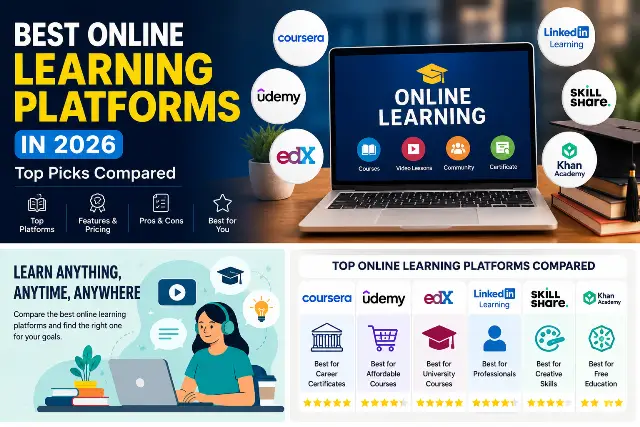
Quick Comparison: Online Learning Platforms at a Glance
| Platform | Best For | Starting Price | Certificate | Rating |
|---|---|---|---|---|
| Coursera | Career Certificates | Free audit; Plus $59/mo or $399/yr | Yes | ⭐⭐⭐⭐⭐ |
| Udemy | Budget, Skill-Specific Learning | $9.99–$19.99 per course on sale | Yes | ⭐⭐⭐⭐☆ |
| edX | University-Level Coursework | Free audit; certificates $50–$300/course | Yes | ⭐⭐⭐⭐⭐ |
| LinkedIn Learning | Workplace & Soft Skills | ~$39.99/mo or ~$239.88/yr | Yes | ⭐⭐⭐⭐☆ |
| Skillshare | Creative, Project-Based Skills | ~$14–$32/mo, billed annually | No | ⭐⭐⭐⭐☆ |
| Codecademy | Learning to Code | Free Basic; Pro from ~$24–$30/mo annual | Yes (Pro) | ⭐⭐⭐⭐☆ |
| Khan Academy | Free Foundational Learning | Fully free | No | ⭐⭐⭐⭐⭐ |
Prices reflect standard 2026 US rates at the time of writing and fluctuate with regional pricing and seasonal promotions — always confirm the current number on the platform’s own pricing page before you commit.
This table gives you the shape of the decision, but the details below are where the real differences show up — pricing math, refund reality, and what each platform is like to actually sit inside for a few weeks.
What Makes an Online Learning Platform Worth Your Time
When comparing platforms, it helps to separate a valuable learning experience from a video library. The best platforms share a few traits.
- A program structured by genuine subject matter experts, not just uploaded lecture recordings
- A chance to do more than watch — projects, code exercises, or graded assignments
- Some system of accountability or community, even a lightweight one
- A credential that actually influences a hiring or admissions decision
Price matters too, but it isn’t the only criterion. A paid course you never finish costs you more in lost time than a free course you never finish. Completion rates, refund policies, and whether instructors actually answer student questions tell you more than star ratings ever will — so I’ve included those specifics for each platform below, based on both my own experience and current published policies.
Coursera: Best for University-Backed Certifications
Coursera partners directly with universities like Stanford, Yale, and the University of Michigan, plus companies like Google and IBM, for courses that often mirror real corporate training.
My experience: I worked through the Google Data Analytics Specialization on Coursera, and the most useful part wasn’t the videos — it was the hands-on spreadsheet and SQL labs baked into each module. The pacing frustrated me at times; some instructor-narrated sections move slower than a self-directed learner wants, and I found myself bumping playback to 1.5x by course three.
Pricing (2026 Baseline)
- Free audit: Most individual courses, no certificate
- Coursera Plus: ~$59/month, or ~$399/year (roughly $33/month effective)
- Individual Professional Certificates: ~$49–$79/month, billed until you finish
Pros and Cons
| ✅ Pros | ❌ Cons |
|---|---|
| Certificates carry real name recognition with employers | Per-certificate subscription billing can get expensive if you’re slow to finish |
| Specializations build toward an applied capstone project, not just quizzes | Some courses feel padded with reading that doesn’t add much |
Refunds and support: Coursera allows refunds within 14 days of purchase on most one-time purchases; monthly subscriptions are generally non-refundable, though you can cancel to stop future billing. Support responses in my experience took roughly two business days.
Ideal for: Career changers who want recognized certificates and a structured, academic pace.
Udemy: Best for Affordable, Skill-Specific Courses
Udemy isn’t a school — it’s a marketplace. Anyone can publish a course, so quality varies wildly, but you’ll also find narrow, practical skill-building content you won’t find anywhere else.
My experience: I bought a web development course on Udemy during a flash sale for under $15 (list price was over $100). The instructor’s teaching style was clear, but the course was two years out of date by the time I got to the deployment section, and a couple of the tools referenced had since changed their interfaces entirely. Checking an instructor’s recent review activity, not just their star rating, would have saved me some confusion.
Pricing (2026 Baseline)
- List prices: Often $50–$200 per course
- Sale prices: Frequently discounted to $9.99–$19.99 during near-constant promotions
- No subscription required — one-time purchase per course
Pros and Cons
| ✅ Pros | ❌ Cons |
|---|---|
| No recurring subscription; you own the course once purchased | Quality control is inconsistent — always check recent reviews, not just overall rating |
| Extremely specific niche topics you won’t find on academic platforms | Courses can go stale quickly in fast-moving fields like web development or AI tools |
Refunds and support: Udemy offers a 30-day money-back guarantee on individual course purchases, processed automatically through account settings. Instructor responsiveness varies enormously by course — some reply within hours, others never respond to the Q&A tab at all.
Ideal for: Learners who want a specific, short-term skill without a long-term subscription commitment.
LinkedIn Learning: Best for Workplace and Soft Skills
LinkedIn Learning stands out for leadership, communication, project management, and workplace software training — Excel, Salesforce, and similar tools — delivered by industry practitioners rather than academics.
My experience: I used LinkedIn Learning for a short Excel PivotTables course through a corporate account. The videos were tight — most lessons ran under 8 minutes — and I appreciated that finishing a course automatically added a visible skill badge to my profile. The downside was the exercise files felt thin compared to Codecademy’s interactive labs; it’s built for watching and practicing on your own, not guided hands-on work.
Pricing (2026 Baseline)
- Monthly: ~$39.99/month
- Annual: ~$239.88/year (roughly $19.99/month effective)
- Bundled free: Included with LinkedIn Premium Career and higher tiers
Pros and Cons
| ✅ Pros | ❌ Cons |
|---|---|
| Completed courses show directly on your LinkedIn profile for visibility | Course depth is shallow compared to a full certificate program |
| Many employers offer free access through corporate library accounts — worth checking first | No meaningful hands-on labs for technical subjects |
Refunds and support: Subscriptions are generally non-refundable once billed, though you can cancel anytime to avoid renewal; individual standalone course purchases carry a 30-day refund window.
Ideal for: Working professionals who want short, practical courses tied directly to workplace tools and visible LinkedIn credibility.
edX: Best for Rigorous, University-Level Coursework
edX, launched by Harvard and MIT, keeps a genuinely academic approach. Courses tend to be more demanding than consumer platforms, often including proctored exams and real deadlines.
My experience: I audited a Harvard-affiliated computer science course on edX for free, then paid to upgrade partway through once I realized I wanted the graded assignments. The forum discussions were noticeably more substantive than what I’ve seen on Coursera — actual classmates debugging real code together, not just comment threads.
Pricing (2026 Baseline)
- Audit track: Free for most individual courses
- Verified certificates: ~$50–$300 per course
- Professional Certificates: ~$300–$1,200 total
- MicroMasters programs: ~$600–$1,500 total
Pros and Cons
| ✅ Pros | ❌ Cons |
|---|---|
| Genuine university rigor, especially in computer science and data science | Heavier workload than most learners expect from a “quick online course” |
| MicroMasters credits can count toward an actual master’s degree at partner schools | Fewer flashy production values than Coursera’s corporate-partner content |
Refunds and support: Verified certificate upgrades are refundable within a short window before you submit graded work (check the specific course’s deadline, since it varies by course). Support runs through a help center ticket system rather than live chat, so responses can take longer than Coursera’s.
Ideal for: Learners who want authentic academic depth, especially in technical subjects, and aren’t afraid of being challenged.
Skillshare: Best for Creative and Project-Based Learning
Skillshare teaches creative skills — design, illustration, video editing, photography, writing — in a project-based format rather than lecture-and-exam.
My experience: I took a short Procreate illustration class on Skillshare mostly out of curiosity. The class itself was well-produced and genuinely fun, but the “community” feedback on my submitted project consisted of two generic compliments and nothing constructive. If you’re hoping for real critique, temper your expectations.
Pricing (2026 Baseline)
- Annual-only subscription: ~$14–$32/month depending on current promotion, billed as one annual charge (roughly $165–$170/year at standard rates)
- No monthly-only plan is offered
- No certificate issued on completion
Pros and Cons
| ✅ Pros | ❌ Cons |
|---|---|
| Flat-rate access to the entire library — great if you have several creative interests | Peer feedback is usually shallow, not real critique |
| Classes are short and genuinely enjoyable to sit through | No institutional weight if you need a credential for a resume |
Refunds and support: Annual memberships are refundable within 30 days of the initial charge; renewals generally are not. Support is email-based and, in my experience, slower than Coursera’s.
Ideal for: Hobbyists and creative types who want to explore a wide variety of projects without per-course pricing.
Codecademy: Best for Learning to Code Interactively
Codecademy’s browser-based, interactive coding environment stands out among learning marketplaces. You’re writing and running code directly in the lesson, not watching someone else type.
My experience: I worked through part of the Python fundamentals path on Codecademy, and the instant feedback loop — write code, run it, see the error immediately — built muscle memory far faster than any video tutorial I’ve tried. The free tier is genuinely useful for testing whether coding clicks for you before paying anything.
Pricing (2026 Baseline)
- Basic: Free, limited course selection
- Plus: ~$15–$17.49/month billed annually (~$35/month billed monthly)
- Pro: ~$24–$30/month billed annually (~$60/month billed monthly), includes Career Paths and certificates
Pros and Cons
| ✅ Pros | ❌ Cons |
|---|---|
| Career Paths (Full-Stack Engineer, Data Scientist) prevent tutorial-hopping | Pro tier pricing adds up quickly if billed monthly |
| In-browser practice builds real coding habits, not passive watching | Some advanced content feels thinner than a dedicated bootcamp curriculum |
Refunds and support: Codecademy’s official policy states no refunds, though in practice users report success requesting one by contacting support directly within a reasonable window. Response times were roughly one to two business days when I reached out about a billing question.
Ideal for: Hands-on learners who want to start writing real code from the very first lesson.
Khan Academy: Best Free Platform for Foundational Learning
Khan Academy remains one of the few platforms offering genuinely strong teaching for free, with no pressure to upgrade. It’s strongest in math, science, economics, and standardized test prep.
My experience: I’ve pointed several people toward Khan Academy for SAT math review, and the step-by-step video explanations paired with practice problems consistently outperform what I’ve seen on paid “test prep” platforms charging real money for similar content.
Pricing
- Entirely free — funded by donations and partnerships, no paid tiers or upsells
Pros and Cons
| ✅ Pros | ❌ Cons |
|---|---|
| Zero cost, zero upsell pressure, genuinely strong instruction | Not built for career-focused or professional certification needs |
| Excellent for filling specific knowledge gaps at any age | No community or instructor interaction beyond video content |
Ideal for: Students, parents supporting a child’s schoolwork, and adults filling foundational knowledge gaps.
Selecting the Best Platform to Achieve Your Objectives
The right platform matters more than the abstract idea of “best.” If you want a certificate an employer will recognize, Coursera or edX beats Skillshare every time. For testing interest in a new creative pursuit, Skillshare’s flat rate beats per-course pricing. If budget is the deciding factor, check Udemy’s sale pricing and Khan Academy’s free tier before committing to any subscription.

The practical sequence: set a clear goal — credential, skill, hobby, or workplace requirement — check whether the platform’s strongest category matches that goal, then compare pricing against how long you realistically expect to use it. This order helps you avoid choosing a platform based on marketing instead of fit.
Common Pitfalls to Avoid When Choosing an Online Course
Learners often register for several platforms at once, hoping more access guarantees more progress. In practice, focusing on one platform almost always beats spreading attention across many, since divided focus tends to reduce completion rates. Choose the platform that supports your short-term objective, finish a course end-to-end, then decide if a second platform is worth it.
Another common mistake: pursuing certificates without checking whether they’re relevant to your target field. Some industries place heavy weight on a specific institutional credential; others care far more about a portfolio of completed projects. Before signing up, find out what hiring managers in your field actually look for — it saves both time and money.
Conclusion
Not all online learning platforms are the same — each serves a different type of learner and delivers a different outcome. Coursera and edX stand out for recognized credentials, Udemy and Skillshare for affordable flexibility, and Khan Academy remains the strongest free foundational option. Rather than asking which platform is universally “best,” figure out which one fits your objective, budget, and learning style. Pick one, stick with it until you finish a course, then decide if a second is worth adding. The best online learning platform won’t just teach you a new skill — it will help you actually finish what you start.
Frequently Asked Questions
Q. Is online learning a worthwhile form of education?
It depends on your objective. Online learning offers quicker, more affordable access to specific skills or career upskilling than traditional degrees in many cases. Platforms work best alongside formal degrees for roles that require them.
Q. Where do you find the most recognized certificates online?
Certificates from Coursera and edX are generally the most recognized, thanks to direct university and corporate partnerships. Recognition varies by industry though, so check what employers in your specific field actually value.
Q. Is there a platform that teaches coding from scratch?
Yes. Codecademy is built for beginners, with hands-on, interactive lessons instead of passive videos. Pairing a Career Path with daily practice tends to produce the fastest improvement for new coders.
Q. Are free platforms like Khan Academy as effective as paid ones?
For foundational school subjects, yes — Khan Academy is genuinely strong. Paid platforms typically add value through professional certification, advanced specialization, or industry-specific content that free platforms don’t cover as extensively.
Q. How long does it typically take to finish a course on these platforms?
It depends heavily on platform and course depth. A short Udemy or LinkedIn Learning course can take a couple of hours, while an edX program or Coursera Specialization can take a few weeks to several months of part-time study.
Q. Do online certificates actually hold value with employers?
Many do, especially for technical and project management skills, but value differs by industry and role. A certificate paired with a portfolio or demonstrated project is worth more than a certificate alone.
Q. Which online learning platform is the most affordable?
Khan Academy is free and strong for academic fundamentals. Udemy is among the most affordable paid options, since discounted courses regularly drop to a fraction of their listed price.
Q. Will I lose progress if I switch between online learning platforms?
Generally yes — progress usually doesn’t transfer between platforms, though any course you’ve already completed stays credited to you for life. It’s typically more efficient to finish a course on one site before starting a similar one elsewhere.

